Every few months someone asks, already having Googled it and collected twelve conflicting answers, whether they should get a Kindle or a Kobo. The honest answer depends on where you get your books, not which logo you'd rather see on the lock screen. Kindle owns the ecosystem — Amazon's store, Kindle Unlimited, Whispersync, all locked together, either convenient or claustrophobic depending on your feelings about Amazon. Kobo does the opposite: it plays nice with library apps, reads more file formats, and makes zero attempt to sell you anything once you've bought the device. Neither is objectively "better." They're built for different reading lives, and this is the comparison that tells you which one is yours.
- Top pickKindle Paperwhite (11th Gen, 8GB)~$149
- Best budgetKindle (11th Gen, 16GB)~$99
- Worth the splurgeKindle Scribe (16GB, w/ Basic Pen)~$339
The honest quick answer
If you buy most books from Amazon, already pay for Kindle Unlimited, or want the biggest accessory ecosystem, get a Kindle — the Paperwhite specifically, the one nearly every "best e-reader" list lands on. If you borrow constantly through Libby or OverDrive, want to load your own EPUB files without converting anything, or feel a low-level discomfort about how deep Amazon already is in your life, get a Kobo — the Libra 2 or Clara 2E depending on screen size. That's the decision tree for 80% of readers. The rest is for the other 20%, and anyone who wants to know why before spending $130–$350.
| Model | Screen | Waterproof | Storage | Best for |
|---|---|---|---|---|
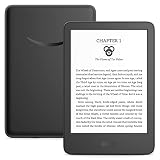
| Kindle (basic) | 6", 300ppi, no warm light | No | 16GB | Budget, first e-reader |
| Kindle Paperwhite | 6.8", 300ppi, warm light | Yes, IPX8 | 8–32GB | Most people, most of the time |
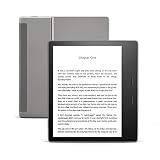
| Kindle Oasis | 7", 300ppi, warm light | Yes, IPX8 | 8–32GB | Page-turn buttons, one-hand reading |
| Kindle Scribe | 10.2", 300ppi, warm light | No | 16–64GB | Notes + reading in one device |
| Kobo Clara 2E | 6", 300ppi, warm light | Yes, IPX8 | 16GB | Library-app readers on a budget |
| Kobo Libra 2 | 7", 300ppi, warm light | Yes, IPX8 | 32GB | The Kobo equivalent of the Paperwhite |
| Kobo Sage | 8", 300ppi, warm light | Yes, IPX8 | 32GB | Bigger screen, stylus support |
Amazon's walled garden vs. Kobo's open house
This is the actual fork in the road, and it has almost nothing to do with hardware. A Kindle is built to funnel you toward the Kindle Store. Buy a book on Amazon and it lands on your device over Wi-Fi in seconds, no cables, no thinking. That's great — until you want to read something you didn't buy from Amazon. Kindles don't natively support EPUB, the standard format almost every other bookstore, library, and self-published author uses. You can convert EPUBs with free software like Calibre, or email files to your Kindle's built-in address for Amazon to convert, but it's an extra step Kobo owners don't have.
Kobo, by contrast, reads EPUB natively, plus PDF and several comic and manga formats Kindle handles poorly. More importantly, Kobo has built-in OverDrive integration, so you can browse your library's ebook catalog, borrow a book, and get it delivered straight to the device — no Libby app or computer required, though Libby still works great if you'd rather browse there. Kindle only added a version of this recently, and it's more limited and largely U.S.-only. If your reading budget mostly comes from a library card, Kobo is doing you a real favor here.
The tradeoff: Amazon's ecosystem is bigger and more integrated if you're already inside it. Whispersync keeps your place synced between a Kindle book and its Audible version. Kindle Unlimited (a separate paid subscription — we've covered whether it's worth it for heavy readers here) gives Kindle owners a deep, rotating library of romance, fantasy, and indie fiction for one flat fee. None of that exists on Kobo. You're trading convenience for openness, and which one you'd rather have says more about your reading habits than any spec sheet.
Screen quality: closer than the marketing suggests
Here's a relief: at the mid-range and up, Kindle and Kobo screens are nearly identical. Both use E Ink Carta panels at 300 pixels per inch, the resolution where text stops looking like a screen and starts looking like a printed page. A Paperwhite and a Libra 2 render the same paragraph with the same crispness — you won't tell them apart from three feet away. The real differences are software-level, not panel-level: page-turn speed, font rendering, and how aggressively each brand fights ghosting (the faint shadow of the previous page E Ink is prone to). Kobo's software has historically been a touch more customizable on fonts and margins; Kindle's feels slightly snappier out of the box. Neither is a dealbreaker.
Where it matters: don't buy the cheapest tier if you can help it. Base-tier models skip the auto-adjusting front light sensor and sometimes ship a lower-contrast panel than pricier siblings — a real, visible difference in a dim room. If price is genuinely the deciding factor, that's fine, just know what you're giving up.
Warm light: the feature you don't know you need until you have it
Every e-reader above entry level now offers adjustable warm light — shifting the front light from cool white toward an amber, campfire-adjacent tone as evening goes on. It sounds like a gimmick until you've used it for a week of 11 p.m. reading and gone back to plain white, which will suddenly feel like reading under an interrogation lamp. Warm light reduces the blue-light exposure that keeps your brain alert before bed, and it's simply more comfortable on tired eyes.
Kindle's version (Paperwhite, Oasis, Scribe — not the base Kindle) lets you schedule the warmth to shift at sunset. Kobo's version, on the Libra 2, Sage, and Clara 2E, works the same way with a manual slider plus optional scheduling. You won't notice a real difference between the two brands here — this is one spec where "which ecosystem" matters far more than "which implementation."
Waterproofing: read in the bath without the fear
Both brands rate their mid-range and premium devices IPX8 — submersion in up to two meters of fresh water for 60 minutes. In practice: bathtub reading is fine, a rogue splash at the pool is fine, dropping it in the sink while panic-reaching for it is fine. It does not mean salt water is fine (the rating is fresh water specifically, and ocean water corrodes ports over time), and it's not a pool toy — towel it off and let the port dry before plugging in.
The catch: waterproofing is mid-range-and-up on both sides. The basic Kindle and the Kindle Scribe are not waterproof — an odd omission on the Scribe given its price, but it's built more as a note-taking device than a bathtub companion. If reading in the tub or by the pool is part of your routine, skip the base Kindle and the Scribe regardless of brand, and go straight to a Paperwhite, Oasis, Clara 2E, Libra 2, or Sage.
Storage tiers: how much you actually need
This is the spec people worry about most and need least. A single ebook, even a doorstop fantasy novel, is a few megabytes. The base 8–16GB tier on either brand holds several thousand books — more than most people read in a decade. Storage starts to matter with audiobooks (dramatically larger than text) and, on the Scribe or Sage, notebook files and PDFs with embedded images, which eat space fast.
Practical guidance: 8GB is fine for a pure text reader who doesn't store audiobooks locally. Bump to 16–32GB for headroom on audiobooks, PDFs, or comics. Only go to the 64GB tier (currently a Scribe option) if you're heavy on handwritten notes or a large PDF library. Don't pay extra for storage you'll never fill.
Which one for library readers vs. Kindle Unlimited readers
Answer honestly where most of your reading budget goes and the rest sorts itself out. Heavy library users — anyone who has Libby open more than their group chat — should lean Kobo. Native OverDrive integration and EPUB support mean fewer steps between "I want this book" and "I'm reading this book." Heavy Kindle Unlimited subscribers, or anyone buying mostly from Amazon and wanting Whispersync with Audible, should stay in the Kindle ecosystem — pairing a Kobo with an Amazon-heavy habit just means constant manual conversion.
People who do both — library holds when available, Kindle Unlimited or Amazon purchases when they can't wait — face a harder call. I'd still lean Kindle here, since Amazon's newer library-borrowing support has closed part of the gap, while Kobo still can't touch Amazon's store size or Whispersync. But if the library is your primary source, Kobo remains the smoother day-to-day experience.
What to skip
A short, opinionated list. Skip the base-tier Kindle if you read in bed at night — no warm light means a lamp or eye strain under stark white backlight. Skip the Scribe if you just want to read and have zero interest in handwritten notes — you're paying a real premium for a stylus you won't touch. Skip any "renewed" listing without a stated battery health; E Ink batteries last years, but a heavily used unit can be a real downgrade. And skip buying on brand loyalty alone — if you've never owned either, buy the mid-tier model (Paperwhite or Libra 2) and let two months of actual habits tell you whether the flagship features were ever worth the extra cost.
Frequently asked questions
Is Kobo actually better than Kindle for library books?
For pure library borrowing, yes — Kobo's native OverDrive integration and EPUB support mean fewer steps between finding a book in your library's catalog and reading it. Kindle has improved its library support but still leans toward its own store.
Can a Kindle read EPUB files?
Not natively. You'll need to convert EPUB files with free software like Calibre, or email the file to your Kindle's personal document address for Amazon to convert automatically. It works, but it's an extra step Kobo owners skip entirely.
Do I need Kindle Unlimited to use a Kindle?
No. Kindle Unlimited is a separate, optional paid subscription for a rotating ebook catalog. Every Kindle works perfectly well for books you buy individually or borrow from your library, with or without it.
Is the warm light feature worth paying extra for?
For anyone who reads at night, yes. Adjustable warm light reduces blue-light exposure and is noticeably easier on tired eyes than a plain white backlight. It's standard on every model here except the base-tier Kindle.
Are Kindle and Kobo e-readers actually waterproof?
The mid-range and premium models on both brands are rated IPX8 — safe in fresh water up to two meters for 60 minutes, covering bathtub reading and accidental splashes. It does not cover salt water, and the base Kindle and Scribe aren't waterproof at all.
How much storage do I actually need on an e-reader?
Less than you think. 8GB holds thousands of ebooks since text files are tiny. Go up to 16-32GB only for audiobooks, PDFs with images, or comics, which take up far more space than plain text.
Which e-reader is best for a first-time buyer?
The Kindle Paperwhite or Kobo Libra 2, depending on which ecosystem fits your reading habits. Both sit in the sweet spot of screen quality, warm light, and waterproofing without paying flagship prices for features not everyone needs.