You can make a year-in-review family podcast in a single evening without ever touching a microphone: collect the year's highlights, write a short script, have an AI voice read it, and send the finished audio to your family as a private link. The trick is to treat it like a letter that happens to be spoken, not like a radio show, which is why the whole thing fits between dinner and bedtime.
Every December the same thing happens. Somebody means to write the family newsletter, somebody else means to put together a photo slideshow, and by New Year's it has all quietly evaporated. Audio is the lowest-effort version of that idea that people actually enjoy receiving. Grandparents can listen while they cook. Cousins can play it on a drive. Nobody has to open an attachment or learn an app.
Hear your family's year read aloud, free
Paste one paragraph about your year into ElevenLabs and audition a few narrators. There is a free tier to start with and no card is needed to try it. Check ElevenLabs' current plans for what a longer episode will need.
Try ElevenLabs free →Step one: gather the year in twenty minutes
Do not start by writing. Start by collecting, because the script is only as good as the raw material. Open your phone's photo library and scroll the year from January forward, and keep a running list of anything that makes you stop. You are not looking for the biggest events. You are looking for the ones that make someone say, "oh, remember that?"
A good gathering pass pulls from four places:
- Your camera roll. Scroll by month. Screenshot nothing, just jot a few words per memory: "lake trip, soggy tent," "first day of school, enormous backpack."
- Your calendar. Birthdays, recitals, tournaments, moves, trips, and the appointments that mattered. It is a surprisingly honest record of what the year actually contained.
- Your group chat. Search for the messages that got the most laughing reactions. Those are the bits your family will want read back.
- Each family member. Ask everyone the same two questions: what was your best moment this year, and what is one thing you want to say you are proud of? Kids give the best answers if you ask them at the dinner table and write down what they say word for word.
Aim for somewhere between eight and fifteen items. Fewer feels thin and more turns into a list of events. Any notebook works for this; a plain legal pad is fine. If you want something nicer to keep the list in, a structured planner makes the gathering pass feel like a ritual instead of a chore, but it is a nice-to-have, not a requirement.
Step two: shape it into a script (the hour that matters)
Here is where most home-made recaps go wrong: people write what they would put in a holiday card. A card is read silently, quickly, with the eyes. Audio is heard once, in order, with no chance to skim back. So you write differently.
Use a simple structure. Open with a one-line welcome and the year, such as "This is the Bushnell family year in review, and it was a big one." Then move month by month or season by season, giving each highlight a sentence or two. Close with something warm: a thank-you, a wish for the next year, or a line from each person.
A few rules make the script sound like speech rather than like a form letter:
- Short sentences. If you run out of breath reading it aloud, split it.
- Name people the first time, every time. Listeners cannot scroll up to check who "he" is.
- Spell out numbers and dates the way you would say them. "The twelfth of July" reads more naturally than a string of digits.
- One idea per paragraph. Paragraph breaks become natural pauses in the audio.
- Keep the funny things exactly as they were said. A kid's mangled word or a dog's questionable decision lands harder when it is quoted rather than summarized.
Read the script out loud once yourself, even quietly, and fix anything that makes you stumble. If you stumble, the AI voice will too. Aim for something you can hear in about ten to fifteen minutes. Longer than that and even devoted relatives start folding laundry.
Step three: generate the narration
This is the part that replaces the microphone. With ElevenLabs, you paste your script in, pick a voice, and it reads the whole thing back as natural-sounding audio. The voice library has a wide range of tones, so the real work is choosing one that fits your family: a warm, unhurried voice for a sentimental recap, a lighter, brighter one if your year was mostly slapstick.
Audition before you commit. Paste the same opening paragraph into three or four different voices and listen with your eyes closed. Pick the one that sounds like it could plausibly be telling a story at your kitchen table, not the one with the fanciest accent.
Generate in sections rather than one giant block. Do one section per season, or one per person if you are including individual shout-outs. If a single line comes out wrong, you re-render that line, not the whole episode. It also keeps you aware of how much of your plan you are using up. Because plan details and limits change, check ElevenLabs' current plans before you start a long script so there are no surprises mid-edit.
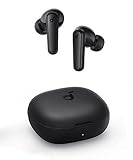
The listening pass is not optional. Play the full episode start to finish, with a pencil. Mark every spot where a name is mispronounced, a pause is awkward, or a joke falls flat. Fix those by respelling the word phonetically in the script only (so "Siobhan" becomes "Shiv-awn"), adding a comma for a pause, or rewording the line. Re-render just those sections and you are done.
Step four: share it privately
A family recap is not a public podcast, and it should not be. You do not need a podcast host, an RSS feed, or an account for anyone else. The simplest options are also the best:
- A private link. Upload the audio file to a cloud folder you already use and share it by link to only the people you choose. Test the link on a phone before you send it.
- A text or email. Send the link with one sentence of context. Something like "Eleven minutes, best listened to with coffee."
- A shared family album or chat. If your family already has a thread, drop it there. Pin the message so it does not scroll away.
Include a short written note with the link: a line or two about what is in it and roughly how long it runs. People are more likely to press play when they know it is ten minutes, not an hour. And if some relatives are less comfortable with technology, offer to send the file directly or play it for them on a call. A thoughtful gift that takes a grandparent three confusing clicks to open is a gift that does not get opened.
Consent, voices, and being upfront
Two rules, and they are simple. First, tell people the narrator is an AI voice. Say it in the first line of the message or at the start of the audio. Nobody minds, and being upfront keeps it charming instead of weird.
Second, if you ever consider voice cloning, such as recreating a family member's voice to read a section, only do it with that person's clear permission. ElevenLabs offers cloning on paid plans with verification, but just because you can does not mean you should. Never clone someone's voice without asking, and think twice about cloning anyone who is no longer here to say yes. A stock narrator is a perfectly lovely choice, and for a first attempt it is the one we would pick. If you want your own voice in there, record a one-line greeting yourself on your phone and drop it at the start.
Finally, think about who is in the story. A family recap is full of other people's moments: kids, teens, in-laws, friends. Leave out anything someone would not want shared, especially health news, breakups, and money. If you are not sure, ask first. The version you can send without worrying is the better version.
What to skip
Skip the full production. Music beds, sound effects, and multiple edited takes are how a one-evening project turns into a three-weekend project. Plain narration with a warm voice is what people remember.
Skip the chronological data dump. You do not need every event. Pick the moments with a feeling attached and let the rest go.
Skip posting it publicly. Your kids' names, school details, and home life do not belong on a public feed. A private link keeps it a gift rather than content.
Skip the perfectionism. One slightly odd pronunciation is a feature in a family recap. Fix the names, accept the rest.
Skip the heavy gear. Studio microphones and recording software solve a problem you do not have. The whole point is that the evening is about the memories, not the tech.
The one-evening plan
Here is the timeline that works. Spend twenty minutes gathering highlights and asking each person their two questions. Spend an hour writing the script in short, speakable sentences. Spend thirty minutes auditioning voices and generating the narration in sections. Spend twenty minutes listening on earbuds and fixing the rough spots. Spend ten minutes uploading and sending the private link. That is a little over two hours, and most of it is the fun part.
Make this year's episode tonight
Start with your opening paragraph, audition a few voices, and hear your family's year before you decide anything else. There is a free tier to try it on, and ElevenLabs' current plans page has the latest details if you want a longer episode. Only use a voice with the speaker's permission.
Try ElevenLabs free →Frequently asked questions
Do I need a microphone to make a family podcast?
No. You write the script, paste it into a text-to-speech tool like ElevenLabs, and it reads it back in the voice you pick. The only audio gear you might want is a pair of earbuds to check the result.
How long should a year-in-review episode be?
Ten to fifteen minutes is the sweet spot. That is roughly 1,500 to 2,200 words of script. Longer than that and relatives start to drift, so pick the best moments and let the rest go.
Is it okay to use an AI voice for a family recap?
Yes, as long as you are upfront about it. Mention it at the start of the audio or in the message you send. Most families find it funny and charming rather than strange.
Can I clone a family member's voice for the episode?
Only with that person's clear, explicit permission, and never for someone who cannot consent. ElevenLabs offers voice cloning on paid plans with verification, but a stock voice is a perfectly good choice for a family recap.
How do I share it so only my family hears it?
Upload the audio file to a cloud folder or shared album and send the link only to the people you choose. Skip public podcast directories. Test the link on a phone first.
Do I need a paid plan?
Not to try it. ElevenLabs has a free tier, so you can hear your own script read back before spending anything. If you want a longer episode or plan to use the audio beyond your own family, check ElevenLabs' current plans and licensing terms first.
What if the AI mispronounces a family name?
Respell it phonetically in the script only, such as writing the name the way it sounds, then re-render just that section. A listening pass on earbuds with a pencil catches almost all of these.