The laziest way to get a good deal is to tell a tool what you want and let it email you when the price falls. You skip the daily refreshing, the screenshot comparisons, and most of the impulse buys, and you only act when the number actually moves. After a few seasons of doing it this way, we think price-drop alerts beat "hunting" for deals by a wide margin, mostly because they remove the part of shopping that drains you.
The idea is old, but it matters more right now. It is early November, the sale banners are already multiplying, and the hardest part of this season is telling a real discount from a price that was nudged up in October so it could fall in November. An alert gives you a quiet record to measure against.
Set your watchlist before the sales start
Capital One Shopping is a free browser extension. It compares prices across retailers, tries coupon codes for you at checkout, and keeps a watchlist that tells you when something you looked at gets cheaper. Add it before the November rush, not during.
Add Capital One Shopping free →Why waiting beats hunting
Most of us shop in one of two modes. In the first, we need something now and pay whatever it costs. In the second, we spend hours each week poking at tabs, hoping to catch a bargain. Both are expensive, one in money and one in attention.
Alerts create a third mode. You decide what you want, you decide roughly what you would pay, and then you stop thinking about it. The tool does the watching. When the price crosses your line, you get a nudge, and you decide in thirty seconds whether to buy. The lazy part is the point: your effort goes into the one decision that matters instead of a hundred checks that do not.
There is a quieter benefit too. Waiting is the best cure for impulse buying. A lot of things you thought you needed on Tuesday you have forgotten by the following Tuesday, and the alert never fires because you quietly stopped caring. That is a saved purchase, and it counts.
The five-minute setup
You do not need a spreadsheet or a dozen apps. One extension and one habit is enough.
- Install a free price-watching extension. We use Capital One Shopping, which works on the major browsers and does not require a Capital One account. Our full review covers what it does and does not do.
- Browse as you normally would. When you land on a product you are seriously considering, add it to the watchlist instead of the cart. This is the habit that changes everything.
- Decide on a target. Before you walk away, pick a price in your head that would make you buy. Write it in your notes app next to the item name. It takes ten seconds and protects you from talking yourself into a "deal" later.
- Let the extension handle the rest. At checkout it will try coupon codes automatically, and while you browse it will show whether another retailer sells the same item for less.
- Check email when an alert arrives. Compare the new price to your target and to the item's recent history. Buy, or let it go.
That is the entire system. The target price is the part people skip, and it is the part that matters most. Without one, every alert feels like a deal, and you end up buying things because the price moved rather than because the price was right.
How to tell a real drop from sale theater
This is where a watchlist earns its keep. A discount only means something relative to what the item normally costs, and retailers are very good at making the "normal" price look higher than it is. Here is what we check before we trust a drop.
- Compare against what you saw, not what the banner claims. If you added an item to your watchlist at one price and it now says "40% off" but sits at roughly that same price, you have just watched a sticker change. The watchlist is your own receipt.
- Check other retailers. A price that looks great on one site can be ordinary across the market. Cross-retailer comparison takes seconds with an extension and a lot longer by hand.
- Look at the total, not the headline. Shipping, fees, and return terms change the real price. A lower sticker with expensive shipping is not a lower price.
- Try the coupon test last. A drop plus an automatic code at checkout is where the real savings stack up. Let the code finder run before you click buy.
- Notice the pattern. Items that drop and bounce back in a few days are often just fluctuating. Items that settle at a new low are the ones to jump on.
None of this needs math. It needs a mild suspicion of anything that arrives with a countdown clock attached.
What to watch, and what to just buy
Not every purchase deserves patience. The rule we use: if the item is over about $100, optional, and sold by several retailers, put it on the watchlist and wait at least a week. If it is cheap, urgent, or a one-seller product, buy it and move on. Time has value too, and watching a $9 item to save a dollar is not a strategy.
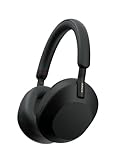
Big-ticket electronics are the classic watchlist candidates because they discount often and the discounts are easy to verify. Premium headphones are a good example. The Sony WH-1000XM5 is a long-running favorite, and it is exactly the kind of purchase where a few weeks of patience is a sensible plan.
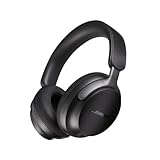
If you are comparing options in the same category, the Bose QuietComfort 45 belongs on the same watchlist. Putting two similar products side by side and letting whichever one drops first win is one of the best lazy-shopper moves there is.
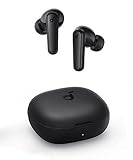
At the other end of the scale, there are things you should simply buy. If you want decent wireless earbuds for the gym and do not want to wait, a budget pair avoids the whole question.
What to skip
A system is only lazy if it stays simple. A few things we would skip:
Skip watching everything. A watchlist with eighty items is a to-do list, and you will start ignoring the alerts. Keep it to the five or ten things you would genuinely buy.
Skip the countdown timers. "Only 3 left" and "deal ends in 2 hours" are designed to override the target price you set. If the item is a real deal, it will be back, and if it is not, you saved money by missing it.
Skip buying just to hit a threshold. Free-shipping minimums and "spend $X, save Y" offers are the classic way an alert becomes a bigger order than you planned.
Skip setting a target you would not actually pay. If your target is wildly lower than any price the item has ever been, the alert will never fire, and you will have created a tool that makes you feel productive without saving anything. Adjust once, then leave it.
Skip the panic around Black Friday. A watchlist built in early November is the whole advantage. By the time the big weekend arrives you already know your targets, so the noise is something you can ignore instead of react to.
A simple weekly routine
Once the setup is done, the maintenance is about two minutes a week. Pick a day, glance at your watchlist, and remove anything you no longer want. Move your target if you were unrealistic. Buy anything that has hit your price. That is it.
If you shop on your phone, install the mobile version too so alerts and comparisons follow you around. The goal is to make the right move the default one: you see a thing you like, you add it to the list, you close the tab, and you carry on with your day. The extension does the part of shopping nobody enjoys, and you keep the part where you decide.
Be the person who waits for the real price
Free to add, no Capital One account needed. Build your watchlist now, let the coupon finder do its thing at checkout, and buy when the price is actually right.
Get the free extension →Frequently asked questions
What is a price-drop alert?
It is a notification that tells you when an item you are watching gets cheaper. Instead of checking a product page over and over, a tool tracks the price and emails you when it falls.
Are price-drop alerts really free?
Many are. Capital One Shopping is a free browser extension with no paid tier, and it does not require a Capital One account. It earns its money from retailer commissions, not from users.
How long should I wait before buying something I am watching?
For optional purchases over about $100, we suggest at least a week, longer if a big sale season is coming. For cheap or urgent items, just buy them.
How do I know whether a discount is genuine?
Compare the new price to what you saw when you added the item to your watchlist, check at least one other retailer, and include shipping in the total. If the price only looks low next to a banner's claimed original price, be skeptical.
Do alerts work on Amazon listings?
Yes, price-drop watching and cross-retailer comparison both work on Amazon product pages, which is where many duplicate-item price gaps show up.
Will a browser extension slow me down or spy on me?
Extensions in this category need access to the retail sites you visit to compare prices and test coupons, so they do see that browsing. If that is a dealbreaker for you on principle, a manual watchlist in your notes app is a workable low-tech alternative.
What should I do if my target price never hits?
Check whether the target was realistic by looking at the item's price over the last few months. If it never gets that low, raise the target once or decide the item is not a bargain and move on.