Short answer: yes, for most small business owners, freelancers, and side-hustlers who buy supplies more than once a month. An Amazon Business account worth it isn't really a yes-or-no question so much as a "does this apply to me" one — and if you're already buying printer paper, packaging, or client gifts through a personal Prime account, you're leaving money and time on the table. The account layers business tools onto the same catalog you already shop: business pricing on eligible items, tax-exemption purchasing, multiple logins under one company account, spending approval workflows, and cleaner reporting. Creating the account itself is free. This guide covers what you get, how it compares to a regular Amazon account, and what's worth ordering once your home office is set up properly.
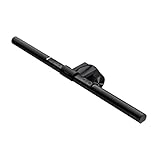
- Top pickBenQ ScreenBar Monitor Light~$120
- Best budgetAnker Cable Management Box~$26
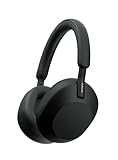
- Worth the splurgeSony WH-1000XM5 Wireless Noise-Canceling Headphones~$398
No cost to sign up. Business pricing, tax-exemption purchasing, multi-user access, and purchase approvals — confirm current features and eligibility on the signup page.
Create Your Free Account →
What You Actually Get With an Amazon Business Account
An Amazon Business account isn't a different store — it's the regular catalog with a business layer on top. What that layer generally includes, in plain terms rather than marketing language:
- Business pricing and quantity discounts. A meaningful slice of the catalog — office supplies, cleaning products, shipping materials, electronics — carries pricing only visible once you're signed into a business account, with additional discounts on some bulk orders. Exact savings vary by product and change over time, so treat this as a real perk worth checking per order, not a fixed percentage.
- Tax-exemption purchasing. If your business qualifies for tax-exempt purchasing in your state, you can enroll through the Amazon Tax Exemption Program (ATEP) and have eligible orders reflect that automatically at checkout instead of filing for a refund later.
- Multi-user business accounts. Add employees, contractors, or partners as users under one central account instead of sharing a single login and password. Each user gets their own sign-in while purchases still route back to the business.
- Purchase approval workflows. Set spending limits and require sign-off before an order goes through — useful the moment you have even one employee with a company card.
- Business analytics and reporting. Spending dashboards and exportable order data that plays nicer with bookkeeping software than a personal order history at tax time.
None of this requires a storefront, an LLC, or a minimum spend. A sole proprietor, an Etsy seller buying packaging, or a two-person consulting shop all qualify. Because Amazon updates program details periodically, confirm exactly which features and discounts currently apply to your account on the signup page.
Amazon Business vs. a Regular Amazon Account
If you've been buying supplies on your personal Prime account, here's what changes when you switch. A personal account isn't broken — it just wasn't built for more than one buyer or a tax-exempt purchase.
| Feature | Regular Amazon Account | Amazon Business Account |
|---|---|---|
| Cost to open | Free (Prime optional, paid) | Free to create |
| Business pricing / quantity discounts | Not visible | Visible on eligible items; varies by product |
| Tax-exemption purchasing | Not available at checkout | Available via enrollment (ATEP) for eligible orgs |
| Multi-user access | One login, shared password if others buy | Add users with individual logins under one account |
| Purchase approval / spending controls | None | Configurable approval workflows and spending limits |
| Analytics / reporting | Basic order history only | Spending analytics, exportable order reports |
| Best for | Personal shopping, occasional one-off orders | Repeat business purchasing, teams, tax-exempt orgs |
Nothing about your existing account gets worse — Amazon Business runs separately, and you can still shop personally elsewhere. The real difference shows up in checkout and in back-office tools most personal accounts never expose.
The Desk Setup Worth Buying First
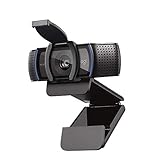
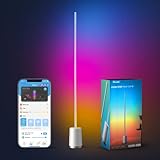
Once the account is set up, the first real test is usually a home office refresh — the desk, the video-call setup, the stuff that's been "good enough" since 2021. A few picks that consistently earn their keep for anyone running client calls, meetings, or general focused work from a home office.
Staying Organized (and Powered) Once the Orders Start Coming In
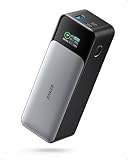
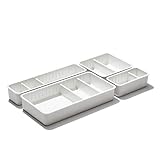
A business account tends to increase order volume — more supplies, more frequent restocks, more stuff arriving at your door. The following keep that from turning your office into a storage unit, and keep you productive when you're working outside the house too.

Who Shouldn't Bother With an Amazon Business Account
This isn't a universal yes. A few honest exceptions:
- Very casual or one-time buyers. If you bought a label printer once for a garage sale, there's no real benefit to a separate account. The tools exist for recurring, higher-volume, or multi-person purchasing — they don't do much for a single order.
- Solo buyers who never need multi-user access or approvals. If it's just you, buying occasionally, with no tax exemption to claim, the upside shrinks to "maybe better pricing on some items." Real, but not transformative. Still free to try, but don't expect it to change how you shop.
- Anyone expecting guaranteed discounts on everything. Business pricing applies to eligible listings, not the entire catalog, and it changes over time. The real value is concentrated in tax exemption, multi-user tools, and reporting — not blanket discounts.
If none of those describe you — if you're ordering supplies weekly, adding a second person to the business, or sitting on a tax-exemption certificate you haven't used yet — the account earns its keep almost immediately.
How to Actually Sign Up
The process takes about ten minutes. You'll need a business name (a sole proprietorship under your own name works fine — no LLC required), an email address for business purchasing, and basic details like your industry and estimated size. From there, Amazon walks you through setting up the account, and you can enroll in tax exemption separately once it exists, if that applies to you. Because eligibility requirements and promotional details shift, the signup page is the accurate source — treat anything here as a starting point, not a guarantee of a specific discount or feature.
Creating an Amazon Business account is free and takes about ten minutes. Confirm current pricing, tax-exemption eligibility, and features on the signup page.
Create Your Free Amazon Business Account →
Is Amazon Business free to sign up for?
Yes. Creating an Amazon Business account has no signup cost. Prime shipping benefits for a business account are a separate, optional add-on (Business Prime), similar to how personal Prime works — but the base business account itself is free.
Do I need an LLC for Amazon Business?
No. You can sign up as a sole proprietor using your own name and Social Security number for tax purposes — you don't need a registered LLC, EIN, or formal business entity to open the account. Freelancers, consultants, and side-hustlers qualify.
What's the difference between Amazon Business and Amazon Prime?
Amazon Prime is a personal shopping membership focused on fast shipping and entertainment perks. Amazon Business is a business-purchasing layer focused on business pricing, tax exemption, multi-user access, and purchasing controls — it isn't a shipping speed program by default, though Business Prime (a separate paid tier) adds fast shipping for business orders.
Can I use my personal Amazon account for business purchases instead?
Nothing stops you, but you lose visibility into business-only pricing, the ability to claim tax exemption at checkout, multi-user logins for employees, and reporting that separates business spend from personal orders — all of which get harder to untangle later, especially at tax time.
How does tax-exempt purchasing work on Amazon Business?
You enroll in the Amazon Tax Exemption Program (ATEP) after your account is set up, submitting exemption documentation for your state or organization type. Once approved, eligible orders reflect the exemption at checkout instead of you paying tax and seeking a refund later. Requirements vary by state, so confirm your situation during enrollment.
Does an Amazon Business account cost anything ongoing?
The base account is free with no subscription fee. Business Prime, the optional paid tier that adds fast shipping and additional purchasing tools for teams, has its own separate pricing based on business size — but you are never required to add it to use the free business account features.
Can more than one person use an Amazon Business account?
Yes — that's one of the core features. You can invite employees, contractors, or partners as individual users under the same business account, each with their own login, rather than sharing one password. Admins can set spending limits and approval requirements per user or group.