Wireless charging has been around long enough that the "isn't it magical?" phase is over. Now the question is simpler and more annoying: why does my phone still take two hours to charge when the box promised it was fast? The answer usually comes down to three things — your charger's wattage, your phone's supported standard, and the cheap pad you bought for $12 that doesn't actually deliver what it advertises. This guide cuts through all of it.
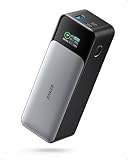
- Top pickAnker 737 PowerCore 26K~$110
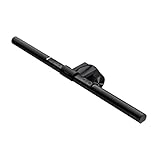
- Best budgetAnker Cable Management Box~$26
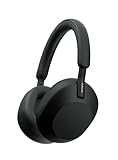
- Worth the splurgeSony WH-1000XM5 Wireless Headphones~$280
The good news: fast wireless charging is genuinely fast now. Qi2 at 15W gets most phones from 20% to 80% in about 55 minutes. MagSafe on a recent iPhone is in the same range. Even a good Qi charger at 10–12W is meaningfully faster than the slow 5W pads that gave wireless charging a bad reputation. You just have to buy the right thing.
Qi vs MagSafe vs Qi2: what actually matters
Three standards, one confusing landscape. Here's the plain-English breakdown:
Qi (original): The universal standard. Almost every phone supports it. Speeds range from 5W (slow — avoid) to 15W depending on the charger and device. The problem: Qi pads and phones negotiate speed, and cheap chargers often cap out at 5–7.5W regardless of what the box says. The pad needs to be aligned well too, or speeds drop further.
MagSafe: Apple's magnetic attachment system for iPhone 12 and later. The magnets snap the charger into perfect alignment every time, eliminating the "am I actually charging?" uncertainty. Speed is up to 15W on iPhone 13 and later. The catch: it only works this fast on iPhones. MagSafe accessories work on Android for the magnets, but the 15W fast charging does not.
Qi2: The new standard (launched 2023), built on MagSafe's magnetic alignment technology and opened to all manufacturers. 15W is the baseline, alignment is automatic, and it works across both iPhone and Android phones that support it. This is the standard worth buying into now. Qi2 chargers also work as standard Qi chargers with non-Qi2 devices, so you're not locked in.
The short version: if you have a recent iPhone, MagSafe or Qi2 at 15W. If you have an Android flagship, check your phone's supported wattage — some Samsung phones support 15W wireless, others go higher with their proprietary fast charge. If you have a mix of devices, a Qi2 pad covers everyone.
Wattage myths — what numbers actually mean in real life
Marketing has done a number on wireless charging specs. Here's what the wattage numbers actually translate to in your day-to-day life.
5W: The original Qi baseline. This is slow. If you start at 20% battery, expect 2+ hours to a full charge. Avoid anything that only supports 5W in 2026 — they're relics and they're everywhere on discount shelves.
7.5W: Apple's cap for third-party Qi chargers on iPhones (before MagSafe). Not terrible, but noticeably slower than the 15W you get from a proper MagSafe or Qi2 pad. Many budget chargers marketed as "fast" for iPhone are running at 7.5W.
10–12W: The sweet spot for non-MagSafe, non-Qi2 Android charging. Samsung Galaxy phones support 10–15W wireless from compatible chargers. A good 10W Qi pad will charge a Galaxy from 0–80% in about 80 minutes.
15W (Qi2/MagSafe): The current benchmark for fast wireless. 0–80% in roughly 55–65 minutes on most devices. This is where wireless charging stops feeling like a compromise vs. a cable.
One thing nobody talks about: wired charging is still faster. A 45W USB-C cable charges faster than any wireless solution available today. Wireless charging is about convenience, not outright speed — and within that framing, 15W is excellent.
Why cheap pads fail (and what to look for)
The $10 wireless pad on Amazon that has 4,000 reviews and claims "15W fast charging" probably isn't delivering 15W to your phone. Here's why:
Wireless charging involves two components — the transmitter (the pad) and the receiver (your phone). They have to negotiate the speed together. Cheap pads often use undersized coils, poor power regulators, and don't properly implement the communication protocol that allows the phone to request higher power. The result: your phone asks for 15W, the pad can't deliver it cleanly, they settle on 5–7.5W, and your "fast" charger is basically the same as a slow one.
The other issue is heat. Wireless charging generates heat, and heat is what slows charging — both the charger and your phone will throttle charging speed when temperatures rise. Cheap pads run hot because they're inefficient. This is both slower and worse for your battery long-term.
What to look for: brands with a track record (Anker, Belkin, Apple, Samsung), explicit Qi2 or MagSafe certification (not just "compatible"), an included power adapter matched to the charger's wattage, and real user reviews that mention charging speed — not just "it works."
Pad vs stand vs 3-in-1: which form factor is right for you
Flat pad: The simplest form factor. You set your phone face-up on it. Works great on a nightstand or desk. The downside is you can't easily read the screen while it charges — you have to pick it up. Best for nightstand use where you're not interacting with the phone while it charges.
Stand / vertical charger: Your phone sits at an angle, face forward. You can see notifications, use Face ID, and glance at the screen without touching it. This is the form factor for a desk or kitchen counter where you're checking your phone periodically. A stand also works better with phone cases than a flat pad because the magnetic/coil alignment stays consistent.
3-in-1 charger: Charges phone, AirPods (or earbuds with wireless charging), and Apple Watch (or other wearable) simultaneously. If you're in the Apple ecosystem, this is the end-game nightstand setup: everything charges overnight, no cable clutter, fully charged by morning. More expensive ($70–150), but it replaces three separate chargers.
The picks — fast wireless chargers worth buying
These are the ones that actually deliver what they advertise, run cool, and hold up over time.
For a dedicated wireless pad, Anker's MagGo line (available through their Amazon storefront) covers Qi2 at 15W in both flat pad and stand form factors, starting around $20–35. Look for Anker MagGo 622 or 633 for single-device charging, or the Anker 3-in-1 Cube for travel.
The best setup for your nightstand
Here's the configuration that actually works for most people: a Qi2 or MagSafe stand (not flat pad — the stand lets you glance at your phone without picking it up), positioned where your hand naturally reaches from bed. If you have AirPods or wireless earbuds with a Qi-compatible case, a dual-coil pad handles both in one spot.
The cable situation: run one USB-C cable from the pad to a quality GaN charger (at least 30W to drive a 15W wireless pad with overhead). The Anker cable management box below your nightstand hides the power strip. One surface, everything charged, no cable mess when you wake up.
For travel: the Anker 3-in-1 Cube with MagSafe folds flat, fits in a toiletry bag, and charges iPhone + AirPods + Apple Watch from a single USB-C port. It's the one thing worth spending extra on if you travel regularly and are deep in the Apple ecosystem. For Android travelers, a Qi2 flat pad and a quality GaN adapter is the equivalent — less integrated, same result.
One thing worth saying plainly: the best wireless charger is the one you actually use. The elaborate 3-in-1 setup is only better than a cable if it's actually more convenient for your routine. If you're someone who charges on the couch rather than the nightstand, a lightweight single-coil stand with a long cable beats any elaborate station. Match the product to how you actually live, not the optimal theoretical setup.
Frequently asked questions
Is Qi2 actually worth it over regular Qi?
Yes, if you have a compatible phone. Qi2 delivers 15W reliably, with magnetic alignment that eliminates the misalignment problem that causes slower charging on flat pads. The price difference between a good Qi pad and a Qi2 pad is small (often $5–15), and the reliability improvement is significant. If your phone supports Qi2, there's no reason not to use it.
Does MagSafe work on Android phones?
The magnets work — MagSafe cases and wallets attach to MagSafe chargers on Android. But the 15W fast charging protocol is iPhone-only. On Android, a MagSafe charger will deliver standard Qi speeds (typically 5–7.5W). If you have an Android phone, use a Qi2 charger instead, which delivers 15W and is designed for cross-platform use.
Why does my wireless charger feel warm?
Some heat is normal — wireless charging is about 80–85% efficient, and the lost energy becomes heat. The concern is excessive heat, which throttles charging speed and degrades battery health over time. A warm pad is fine. A hot pad is a sign of a cheap charger using an inefficient coil design. Stick to certified chargers from reputable brands.
Will a wireless charger work through a phone case?
Yes, for most cases up to about 3mm thick. Thin silicone and plastic cases: no problem. Thick leather or wallet cases: charging may slow or not work at all. MagSafe and Qi2 chargers are more tolerant of cases than flat Qi pads because the magnetic alignment compensates for the gap. Metal cases block wireless charging entirely — skip them if wireless charging is important to you.
What wattage power adapter do I need for a 15W wireless charger?
At minimum, a 20W USB-C adapter. The charger converts wall power to wireless power at roughly 80% efficiency, so a 15W pad needs about 18–19W from the wall. A 20W adapter (Apple's standard USB-C brick, Anker's Nano series) covers it. A 30W or 45W GaN adapter gives you headroom if you're also charging other devices from the same adapter.
Is wireless charging bad for battery health?
The heat is the main concern — heat degrades lithium batteries faster than charging cycles. A good wireless charger that runs cool has minimal impact on long-term battery health. A cheap charger that runs hot consistently is a problem. Keep your phone's battery charging options set to 80% limit (available on iPhone and most Android flagship settings) if longevity is a priority.