Standing desks are the supplement industry of office furniture: massive claims, real but modest benefits, and a lot of people who bought in hard, used it for a month, and now sit as much as before. The problem isn't that standing desks don't work — they do, in specific ways, for people who use them consistently. The problem is that most people buy the desk and skip everything that makes the desk actually useful: anti-fatigue mat, monitor height, the habit of actually using it.
What the research actually says
Standing for 2–3 hours of an 8-hour workday reduces lower back pain meaningfully in most studies. It doesn't burn significantly more calories than sitting (that's a myth). It does seem to improve focus during certain types of work — tasks that benefit from slightly elevated arousal, like calls and creative work. It makes sitting more intentional: when you know you'll stand for part of the day, the sitting periods feel earned and are more comfortable.
The desk tier system
Under $400: Avoid motorized desks in this range. The motors are poor quality and fail within 2 years. Manual crank desks work fine in this range — less convenient but reliable. $400–700: The Flexispot and Uplift entry-level models. Good motors, reliable presets, adequate weight capacity. The sweet spot for most buyers. $700+: Uplift V2, Autonomous SmartDesk Pro, Fully Jarvis. Better stability at height, wider desktop options, longer warranties. Worth it if you have a heavy monitor setup.
The accessories that determine whether you use it
A standing desk without an anti-fatigue mat is a standing desk you'll stop using within three weeks. Without the mat, standing on a hard floor becomes uncomfortable within 30 minutes — and discomfort beats good intentions every time. The mat is mandatory. Budget it alongside the desk.
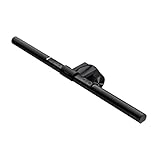
Monitor arm: not optional at a standing desk
If your monitor is sitting on the desk surface, it's too low when you're seated and definitely too low when you're standing. A monitor arm is the single best investment alongside the desk itself — it lets you position the monitor correctly for both heights, clears desk surface space, and makes the transition between sitting and standing actually comfortable.
The habit problem
Most standing desks are used inconsistently because the transition requires effort: you have to stop, hit a button, wait for the desk to move, reposition everything. The fix is preset heights and a habit anchor. Set your sit height and stand height as presets. Anchor standing to specific activities: stand for all calls, sit for writing. Don't try to "stand more" as an abstract goal — tie it to specific triggers.

What to skip
Standing desk converters (the risers you put on top of existing desks): they wobble, they're not ergonomic, and they don't change the fundamental problem of being at the wrong height when you sit. Treadmill desks unless you specifically want to walk during knowledge work — most people type and mouse worse while moving. Gaming-branded standing desks: RGB lighting doesn't improve the desk and usually means corners were cut on the motor.
FAQs
How long should I stand each day?
Research suggests 2–3 hours of standing in an 8-hour workday is the effective range. More than 4 hours increases lower limb fatigue without additional benefit. The goal isn't maximum standing — it's alternating postures every 30–60 minutes.
What's the right standing desk height?
Elbows at 90 degrees when standing, shoulders relaxed. For most adults this is 40–44 inches. Your monitor top should be at or slightly below eye level — if you're looking up at your monitor while standing, your neck will give out first.
Is a standing desk worth it for back pain?
For lower back pain specifically: yes, with caveats. The evidence is solid that alternating sitting and standing reduces lower back discomfort compared to prolonged sitting. It's not a replacement for addressing ergonomics holistically (chair height, monitor position, keyboard angle).
Do I need a mat?
Yes, full stop. Standing on a hard floor (even hardwood) for 30+ minutes becomes painful quickly. Anti-fatigue mats with a slight concavity encourage subtle weight shifting, which is what makes standing sustainable. Topo Mat and Flexispot mats are commonly recommended; even a cheap mat is much better than none.
How wide should my standing desk be?
48" minimum for a single monitor. 60–72" for dual monitors or if you have a lot of desk objects (external keyboard, notebook, plant, etc.). Most standing desks come in 48", 55", 60", and 72" widths. When in doubt, go wider — desk space expands to fill the available surface.