A monitor arm is one of those purchases you delay forever because your current setup seems fine. The monitor is on the desk. It faces you. What else is there? Then you use a good arm for a week and you realize "fine" was actually "subtly terrible." Your neck was slightly strained all day. Your desk was half-buried under a stand. You couldn't get the monitor close enough or high enough without stacking textbooks. A quality arm fixes all of this, clears your desk surface, and — this sounds dramatic but isn't — genuinely makes a workday more pleasant. Here's what's worth buying in 2026 and, maybe more usefully, what to avoid.
Gas spring vs. spring-assisted vs. single-pivot: what actually matters
This is the comparison everyone skips and then regrets. There are three main mechanism types in monitor arms, and they perform very differently:
- Gas spring arms (like Ergotron LX, Fully Jarvis) use a nitrogen-filled cylinder that counterbalances your monitor weight. You push the monitor with one finger and it glides, floats, and stays exactly where you leave it. These are the arms you see in professional studios and standing-desk setups. They cost more ($80–$200) and are worth every dollar if you adjust your monitor position frequently.
- Spring-assisted arms use a mechanical spring instead of gas. They're stiffer, require more force to move, and don't hold position as smoothly — but they're cheaper ($40–$80) and fine if you set a position once and leave it there.
- Single-pivot arms (the cheapest category, $20–$40) have a single fixed joint. They tilt and rotate but don't extend or retract. Honest assessment: these are glorified monitor stands with a longer neck. They're not arms in any meaningful sense, and they don't solve the problem you're buying an arm to solve.
Rule of thumb: if you adjust your monitor position even twice a week, buy gas spring. If you set it once and forget it, spring-assisted is fine. Never buy single-pivot unless you have a very specific use case (wall mount, very small desk, limited depth).
The best gas spring arm: Ergotron LX (and why it keeps winning)
The Ergotron LX has been the standard recommendation in this category for years, and it still is in 2026. The gas spring tension is adjustable via a hex key, it handles monitors from 7–25 lbs, has a full 13 inches of height adjustment, 360° rotation, and the cable management channel actually works (unlike most competitors where the cables pop out every time you move the arm). The build quality feels premium — it's all-aluminum, the pivot points don't wobble, and Ergotron backs it with a 10-year warranty. For a desk setup you care about, this is the one.
The main knock against the LX: it's priced at $140–$160 and doesn't come cheap. It's also slightly over-engineered for monitors you never move. But if your desk is your workplace and you want it to feel right, the Ergotron LX is the buy.
The budget pick that actually holds up: VIVO Dual Monitor Arm
If you have two monitors, the calculus changes. Dual gas spring arms from Ergotron run $250+, which is genuinely hard to justify. VIVO's dual arm is the answer at $60–80. It's spring-assisted (not gas spring), so adjustments are stiffer, but the build is solid, it handles monitors up to 17 lbs each, and the cable management is better than it has any right to be at that price. For a dual-monitor setup that you configured once and then leave, VIVO is the right call. It's not premium — but it's not pretending to be.
VIVO also makes good single-monitor spring arms in the $35–50 range. Same caveats apply: great for a set-and-forget setup, frustrating if you reposition often. Don't cheap out if you'll be adjusting daily.
Brands worth it vs. brands to skip
Worth it:
- Ergotron — the benchmark. Gas spring, 10-year warranty, used by offices and studios globally. LX is the main buy; MX for heavier monitors.
- Fully — premium lifestyle brand, similar gas spring quality to Ergotron, better aesthetics for design-forward setups. Jarvis arm is excellent.
- VIVO — the honest budget option. Spring-assisted, solid construction, good value for dual setups.
- Humanscale — extremely expensive ($300+), but the weight-based counterbalance system is unlike anything else. For people who buy Aeron chairs and don't want to see a hex key ever.
Skip:
- No-name Amazon brands — The ones with 4.3-star reviews from 8,000 ratings are selling a fantasy. The pivot joints loosen in 3 months, the plastic housing cracks, and the cable management falls apart. The monitor droops. You replace it.
- Any arm under $25 — Single-pivot glorified stands. Not worth it.
- Most "10-in-1" arms with USB hubs and phone holders built in — These add complexity that breaks, and the USB hubs are usually USB 2.0 speed. The core function (holding your monitor) is usually mediocre.
What to pair with your new arm
The arm solves position. But once your monitor is floating exactly where you want it, a few other things become obvious. Here's what rounds out the setup:
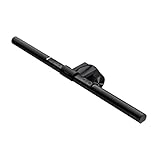
First: lighting. Most people's monitor setup is lit from behind (a window) or from above (an overhead fixture), both of which cause glare and eye strain. The BenQ ScreenBar (above) is the fix — it clips to the back of your monitor and illuminates your desk without touching the screen.
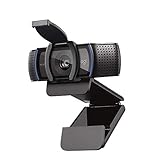
Second: the webcam. When your monitor is arm-mounted and adjusted to eye height, most built-in laptop cameras angle up at your chin and the ceiling. An external webcam at monitor level is the fix, and the Logitech C920s is the one that everyone from streamers to remote workers lands on. 1080p, autofocus, good low-light performance, and a clip that works on any monitor bezel or arm-mounted monitor.
Third: once your desk has actual clear surface (a monitor arm does this immediately — the stand base takes up a surprising amount of real estate), you'll want to use it well. A quality desk mat, good cable management, and a lamp that's not competing with your screen all matter more than people admit.

VESA compatibility and what to check before you buy
Nearly every monitor arm uses the VESA mount standard — a pattern of 4 screw holes on the back of your monitor. The two common patterns are 75×75mm and 100×100mm. Almost all monitors sold in the last decade support at least one of these. But there are exceptions:
- Apple Studio Display and Pro Display XDR — use Apple's VESA adapter (sold separately), not standard VESA. Make sure your arm is compatible.
- iMac — the all-in-one design means you cannot arm-mount it without a very specific adapter, and even then it's not recommended.
- Ultrawide monitors (34"+) — make sure your arm is rated for the weight. Many budget arms cap at 17 lbs. An ultrawide monitor can be 18–25 lbs. Check both the VESA pattern and the weight spec before buying.
- Some budget monitors — a handful of cheap 1080p monitors have no VESA mount at all. Check the back of your monitor or the spec sheet before ordering an arm.
Also check your desk edge. Clamp-style arms (the most common type) need a desk edge between ½" and 2¼" thick. Grommet mounts go through a hole drilled in your desk and are more secure but require commitment. Most people want clamp.
One last thing: desk depth matters. A monitor arm extends your monitor forward and backward along the depth of your desk. If your desk is less than 24" deep, some arm configurations won't work. Most desks are 24–30", which is fine. Shallow console tables or wall-mounted desks under 20" can be problematic.
FAQs
Is a monitor arm actually worth it if I don't have neck pain?
Yes — the benefit isn't just ergonomic. A monitor arm frees the desk surface taken up by your monitor's stock stand base (usually a large footprint), lets you push the monitor fully out of the way when you don't need it, and makes it trivial to share the screen with someone sitting nearby. The ergonomic benefit (monitor at exact eye height, correct distance) is real and compounds over years of use, but the desk real estate benefit is immediate and obvious.
What's the difference between a clamp mount and a grommet mount?
Clamp mounts attach to the edge of your desk with a clamp — no drilling, easy to install and remove. They work on desk edges between roughly ½" and 2¼" thick. Grommet mounts go through a hole in the desk surface and are more secure, especially for heavy monitors or desks with thin edges. Most people should buy clamp-mount. If you're mounting a 30+ lb ultrawide and your desk has a thin or soft edge, consider grommet.
Can I use a monitor arm on a standing desk?
Yes, and this is actually one of the best use cases. Standing desks change height frequently, and a gas spring arm lets you reposition the monitor relative to the desk without ever thinking about it. The arm compensates for the desk height change automatically — your monitor floats at the same angle and position relative to your eyes whether you're sitting or standing.
How much weight can monitor arms support?
It varies significantly. Budget spring-assisted arms typically handle 7–17 lbs per arm. Gas spring arms like the Ergotron LX handle up to 25 lbs. Ergotron's MX handles up to 42 lbs for large displays. Most consumer monitors (24"–27") weigh 8–14 lbs. Ultrawide monitors (34"+) commonly weigh 15–25 lbs. Weigh your monitor or check the spec sheet before buying — an underpowered arm will droop over time.
Do monitor arms work with curved monitors?
Yes — curved monitors use the same VESA mount system as flat monitors. Just verify the VESA pattern (usually 100×100mm on most curved monitors) and the weight rating. Some large curved ultrawide monitors are heavy enough (20–25 lbs) that you'll want a gas spring arm rated for the weight, not a budget spring arm.
Will a monitor arm fit any desk?
Almost any desk with a flat surface and a reachable edge works with a clamp-mount arm. Exceptions: very thick edges (over 2.5"), very thin glass or acrylic tops (clamp pressure can crack them — use grommet instead), and desks with metal lips or decorative edges that prevent a clamp from seating flush. When in doubt, measure your desk edge thickness and compare to the arm's spec.