Cable management exists on a spectrum from "functional disaster" to "impressive but pointless." The first is what most of us live with — a tangle behind the desk that looks like a Jackson Pollock painting, a power strip buried under three generations of charger cords, cables that go nowhere still plugged in because unplugging them requires moving furniture. The second is the YouTube rabbit hole of perfectly routed, zip-tied, velcro-wrapped cables that took six hours to install and fall apart in three months when you move one thing.
- Top pickAnker Cable Management Box~$26
- Best budgetVELCRO Brand ONE-WRAP Thin Ties, 8-Inch (25pk)~$10
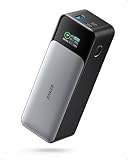
- Worth the splurgeAnker 737 PowerCore 24K (Power Bank)~$130
This article is about the middle ground: the cable management that's actually worth doing, that takes an afternoon, costs under $100, and holds up. The products here are specific, the advice is honest, and we cover what to skip — because there's a lot of cheap garbage in this category that looks the part and performs terribly.
Why cable chaos is worth fixing (and why most people don't)
The reason most people tolerate a cable disaster behind their desk is that the payoff feels abstract. The cables are behind stuff. Nobody sees them. What's the actual problem?
Here's the actual problem. First, it slows you down — every time you need to add a cable, swap a device, or troubleshoot why your monitor isn't working, you're wrestling with the knot. Second, heat. Bundled cables trap heat, which shortens their lifespan and creates a fire risk when you've got a power strip buried in a pile. Third, and this is the underrated one: visual chaos is cognitively exhausting. Your brain notices the mess even when you're "ignoring" it. A clean desk environment genuinely improves focus. This isn't woo — it's just how attention works.
The reason people don't fix it is that every cable management solution they've tried before either looked bad, took too long to set up, or fell apart within a few weeks. This list addresses all three of those failure modes directly.
Start here: the cable management box (for your power strip)
If you do only one thing on this list, do this. The cable management box hides your power strip, contains the excess cord slack behind your desk, and turns the tangle underneath into something that looks intentional. The Anker version is the one that holds up: sturdy ABS plastic, ventilation slots on the sides (critical — don't seal electronics in an unventilated box, this is how fires start), cable pass-throughs on both ends, and a lid that clicks closed and stays closed.
Measure your power strip before buying. The Anker box fits most standard 6-outlet strips but not the giant 12-outlet desktop ones. If you have a longer strip, look at the Bluelounge CableBox — same concept, slightly longer interior. The Anker is the right call for the vast majority of setups.
The velcro ties that actually stay velcro
Cheap cable ties are the most reliably disappointing product category in cable management. The $4 bag of thin plastic velcro strips loses its grip within a month — the hook-and-loop material pills and goes bald, and you're left with cables that are loosely associated with a piece of plastic rather than actually bundled. The small zip ties that come with every piece of electronics look tidy for about two weeks, then you need to add a cable and you're cutting them off with scissors and starting over.
The solution is reusable velcro cable ties with actual material thickness. The VELCRO Brand One-Wrap ties (yes, the name-brand version matters here) use a woven fabric loop that maintains its grip through years of use and repeated fastening. They come in multiple widths — the 8-inch version is right for desk cables and monitor arms, the 12-inch version works for power cord bundles. Buy the pack of 25 and you'll have more than you need for one desk setup.
What to skip: any cable tie labeled "self-gripping" or "magic" on a packaging design that looks like it was made in 2009. Also skip plastic reusable zip ties — they work once, then the ratchet mechanism strips and they're single-use at best.

Cable raceways: the wall-mount fix for visible runs
If you have cables that need to run along a wall — from your desk up to a wall-mounted monitor, from a TV down to a console, from a power strip to an outlet several feet away — a cable raceway is the clean solution. It's a plastic channel that mounts to the wall (usually with peel-and-stick adhesive on painted drywall), the cables go inside, and the channel snaps closed. From 3 feet away it looks like trim.
The D-Line Cable Raceway is the pick: paintable, comes in white and black, the adhesive holds to painted drywall reliably, and the snap-closed design means you can add or remove cables without dismounting the whole thing. Get the 1-inch-wide version for up to 3-4 cables; the 1.5-inch for larger bundles or power cables. Measure your cable run before ordering — these come in 5-foot sections and you'll want extras.
One honest caveat: if you rent, the adhesive-mount raceways leave a mark when removed. It's usually a faint outline, not structural damage, but know that before committing. In that case, use floor-level cable covers instead (same brand makes them).
Under-desk cable management: the tray that changes everything
The under-desk cable tray is the single highest-impact piece of cable management hardware for a home office setup. You mount it to the underside of your desk (typically with screws, though some have adhesive options), and everything that would otherwise pile up on the floor — surge protector, excess cable slack, charging bricks — lives in the tray out of sight. Stand up from your chair and look at the floor: nothing. It genuinely transforms the visual environment of a home office.
The Husky cable management tray and the SimpleHouseware under-desk tray are both solid; the latter is more popular on Amazon because it's inexpensive and the mesh design allows airflow. For a full desk setup with multiple monitors, a laptop, external hard drives, and a hub, you want the longer version (19-inch). For a minimal setup, the 14-inch is fine.
What to skip: under-desk adhesive organizer strips and hook sets. They look clever in photos and fall off the desk within three months under the weight of real cables, usually taking the adhesive residue with them onto your finish. Screw-mount only for anything that needs to hold actual weight.
What to skip entirely
A frank accounting of cable management products that are popular, look reasonable, and don't hold up:
- Cheap neoprene cable sleeves. The ones that split-open down the side and "snap" closed. They look great in photos. In practice, the snap-closure doesn't hold under any tension, they sag in the middle on longer cable runs, and they make cable troubleshooting impossible because you have to unzip the entire sleeve to access anything. If you want bundled-sleeve aesthetics, get a quality braided sleeve with a zipper closure instead.
- Generic wire clips with 3M adhesive. The flat oval clips that stick to the back of your desk or monitor and hold a single cable. They fail within weeks on any surface that isn't perfectly flat, clean, and static. When they go, they take a chunk of your desk finish with them. Use a cable clips with screw-mount or a cable manager tray instead.
- The 200-piece "cable management kit" from an unknown brand. You know the one — it has 40 different types of fasteners, half of which are useless, and they're all made of polypropylene that brittles and snaps after two years. Buy specific, quality versions of the things you actually need.
- Cable management "boxes" without ventilation. Any box with a solid lid and no airflow is a heat trap for your power strip. Heat degrades everything — the strip, the cables, and eventually the plug connections. Always buy a cable box with ventilation cutouts.
The monitor light: reduces visible cable count immediately
This is a sideways entry on a cable management list, but hear it out: half of cable chaos on a desk comes from cables going to desk lamps. A monitor-mounted light bar eliminates the desk lamp entirely — no lamp cable snaking across the desk, no separate outlet used, no item competing for desk space. The BenQ ScreenBar plugs directly into your monitor's USB port (assuming you have one, which most monitors made in the last five years do) and provides asymmetric light that illuminates your desk without glaring into the screen. It's a genuinely excellent product that appears on every serious desk setup list for good reason.
Less lamp = fewer cables = less chaos. The BenQ is the established pick at $120; the ScreenBar Halo ($230) adds backlight for the wall behind the monitor if you're into ambient lighting, but the original ScreenBar is the right call for most people.
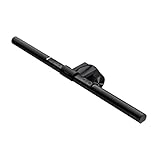
Now the full desk setup picture: cable management box under the desk holding the power strip, velcro ties bundling cable groups, under-desk tray for the slack, D-Line raceway for any wall runs, and a BenQ ScreenBar eliminating the lamp cable. That's it. Five products, under $200 combined, and your desk goes from "I should really deal with this" to something you can photograph and not be embarrassed by.
One final product: the powered USB hub that eliminates adapter sprawl
Half of cable clutter at a modern desk is charging cables. Every device needs a cable, every cable needs an outlet, and every wall outlet either has a bulky adapter or a USB block competing for space. A powered USB hub consolidates this: one cable to the hub, hub sits on the desk or mounts underneath it, every device plugs into the hub. The Anker PowerCore is excellent for mobile use, but for a desk setup what you want is a powered USB hub with USB-C ports — specifically one that can handle both data and power delivery simultaneously.
The Anker 7-Port USB hub with USB-C is the value pick; it handles both USB-A and USB-C devices, provides enough power to charge a phone at full speed, and its single cable to the wall means you've eliminated four or five separate charger cables from your outlet situation. Consolidation is management.
Do I need to buy all of these, or just some?
Start with the one that addresses your biggest pain point. For most people that's the power strip situation — get the Anker cable management box first. If your wall cable runs are the issue, start with the D-Line raceway. If floor cables are the problem, start with the under-desk tray. You don't need all five products at once, and buying them incrementally means you'll actually install each one properly instead of having a pile of cable management stuff that never got set up.
What's the cheapest way to make a real difference?
Velcro ties + cable management box. Under $40 combined, and they address the two most visible problems: the tangle on the floor behind your desk and the cable chaos around your power strip. Everything else is incremental from there.
Does cable management really affect desk focus and productivity?
Genuinely yes, and the research on this is fairly consistent. Visual clutter (including cable mess in peripheral vision) requires ongoing low-level cognitive effort to suppress. Removing that clutter reduces cognitive load measurably. "Clean workspace = clear mind" isn't inspirational poster nonsense — it's just how attention allocation works. The effect is modest, not transformative, but for something that costs $50 and an afternoon, it's a legitimate return.
Is it safe to put a power strip inside a cable management box?
Yes, with one requirement: the box must have ventilation. Power strips generate heat during use, and sealed boxes cause that heat to accumulate, which can degrade the strip faster and in extreme cases become a fire risk. The Anker cable management box recommended here has ventilation slots on all sides — that's the main reason it's the pick over cheaper solid-plastic alternatives. Never put a power strip in a fabric bag or unventilated container.
What about wireless charging — does it solve cable management?
Partially and selectively. A wireless charging pad on your desk eliminates the phone cable while you're at your desk — genuinely useful. But it adds one cable of its own (the pad's power cable), doesn't help with your monitor, peripherals, or anything that draws real wattage, and wireless charging is slower than wired for phones that support fast charging. It's a net positive for phone charging specifically, not a cable management strategy on its own.
How do I keep cable management from falling apart as my setup changes?
Use reusable velcro ties instead of zip ties, and avoid any permanent adhesive solutions. The setups that hold up over time are the ones that are easy to modify — velcro unstraps, cable trays can be repositioned, raceways snap open. Budget for a 30-minute quarterly reset where you retie bundles and reroute anything that's gotten messy. That's a lower cadence than you think, and it keeps the system from ever reaching critical chaos again.