Amazon Business vs Prime is the wrong way to frame the decision if you're picturing a fork in the road — because you don't have to pick one. The short answer for freelancers: Amazon Business is a free business account layered on top of your regular Amazon shopping, adding tax-exemption purchasing, business pricing on eligible items, and expense-tracking tools, while Prime is still what gets you fast, free shipping — and you can attach your existing Prime benefits to a Business account so neither one replaces the other.
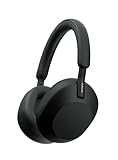
- Top pickSony WH-1000XM5 Wireless Noise Canceling Headphones~$398
- Best budgetAnker Cable Management Box~$26
The real question isn't "which one do I need." It's whether the extra layer is worth five minutes of setup for how you actually buy things. A freelancer ordering printer paper, a replacement charger, and the same box of pens four times a year has a very different answer than a solo consultant who buys a laptop stand once and doesn't think about Amazon again until next year. This guide walks through what each account actually does, where the overlap is, and where a freelancer specifically should draw the line.
Set one up in a few minutes alongside your personal account, keep the Prime shipping you already pay for, and see the business pricing and tax-exemption tools for yourself. There's no signup cost — confirm current features and eligibility on the page itself before you buy anything.
Create your free Amazon Business account →What Amazon Business actually adds on top of Prime
Prime, at its core, is a shipping and streaming membership. Amazon Business is a purchasing layer — it doesn't replace Prime, it sits next to it. When you create a Business account, you're generally given the option to link your existing Prime benefits so orders placed through the Business account can still get the same fast, free shipping you're used to. That pairing is the part most freelancers miss: you're not downgrading anything by opening a Business account, you're adding a filter on top of the same catalog.
What that filter actually surfaces, broadly speaking: business pricing and quantity discounts on eligible items (useful if you reorder the same supplies — ink, paper, shipping boxes — more than once), a tax-exemption purchasing option for freelancers who qualify to buy certain business supplies without paying sales tax at checkout, and a business analytics dashboard that summarizes what you've spent, when, and on what. None of these are things Prime offers, because Prime was never built to answer "how much did I spend on office supplies in Q2." Amazon Business was. Exact discount percentages and tax-exemption eligibility vary by state, item, and account status, so treat the signup page as the source of truth rather than anything you read secondhand — including this article.
Amazon Business vs Prime for freelancers, side by side
Here's the comparison stripped down to what actually matters for someone running a one-person operation, not a 40-person office with a procurement department.
| What you need | Regular Prime | Amazon Business |
|---|---|---|
| Cost to join | Paid membership (monthly or annual) | Free to create, separate from your Prime cost |
| Fast, free shipping | Yes — Prime's core benefit | Yes, once you attach your Prime benefits to the account |
| Tax write-off documentation | Order history buried with personal purchases | Business orders separated from personal ones by default — the receipt problem solved before it starts |
| Quantity / bulk pricing | Standard consumer pricing | Business pricing and quantity discounts on eligible items — confirm on a per-item basis |
| Multi-user access | One login; sharing it with a contractor is messy | Built to add users and set spending permissions — usually overkill for a solo freelancer, but there if you bring on help |
| Expense tracking | Basic order history, mixed with personal buys | Business analytics dashboard, downloadable order reports, spend-by-category views |
| Tax-exemption purchasing | Not offered | Available for qualifying purchases once your exemption is verified — eligibility depends on your state and business type |
| Best for | One-off personal shopping | Recurring supply orders, quarterly tax prep, anyone who'd rather not dig through mixed order history in April |
The pattern across almost every row: Prime handles delivery speed, Amazon Business handles paperwork and pricing. For a freelancer, paperwork is the part that costs actual time — the shipping speed was never really in question.
The tax write-off problem Prime doesn't solve
If you've ever sat down in March trying to reconstruct which Amazon orders were business expenses and which were a birthday gift for your nephew, you already know the problem. A personal Prime account mixes everything into one order history — home purchases, business purchases, gifts, impulse buys — and there's no clean way to filter it after the fact. Some freelancers keep a separate spreadsheet just to reverse-engineer their own order history, which is a strange amount of effort for something a separate login solves automatically.
Because Amazon Business runs as its own account with its own order history, everything placed through it is inherently separated from your personal purchases. That alone is most of the value for a freelancer at tax time — not a discount, not a feature, just a clean, exportable list of what you bought for work. Pair that with the business analytics dashboard mentioned above and you've got something close to an automatic expense log, built entirely from purchases you were already going to make. It's not a substitute for actual bookkeeping software, but it removes the worst part of the process: remembering.
When you genuinely don't need Amazon Business
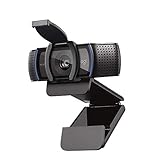
Here's the honest part most "should you sign up" articles skip. If you buy from Amazon for work maybe three or four times a year — a webcam, a new keyboard, a ream of paper — the tax-documentation benefit is marginal. You can screenshot four order confirmations in the time it takes to set up and learn a second account, and quantity discounts don't mean much if you're never ordering in quantity. If your Amazon spending is genuinely occasional and low-volume, the honest answer is: keep using your regular Prime account, save your existing receipts the way you already do, and revisit this once your ordering volume actually grows.
Multi-user access is the other feature worth being clear-eyed about. It's built for teams — assigning purchasing permissions, tracking who bought what, approval workflows before an order goes through. A solo freelancer with no contractors or employees simply doesn't need it, and it's fine to ignore that entire side of the account. You're signing up for the tax-documentation separation and the pricing visibility, not the org chart.
How to set it up without losing your existing Prime perks
The account creation itself takes a few minutes: business name, a bit of verification, and the option to link the shipping benefits from your existing personal Prime membership so orders through the new account still ship on the same timeline you're used to. You are not required to cancel or downgrade your personal account to do this — most freelancers end up running two Amazon logins side by side: one for the household, one for the business, both benefiting from the same Prime shipping.
From there, tax-exemption purchasing (if you qualify) is typically a separate step inside the account settings, since it requires verifying your business details against your state's exemption rules. Business pricing and quantity discounts usually show up automatically on eligible product pages once you're logged into the Business account — no separate application needed for those. Because eligibility rules and available discounts change and vary by state and item, the signup page is the place to confirm exactly what applies to you rather than assuming it matches what worked for someone else.
The home office picks worth running through a business account
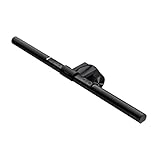
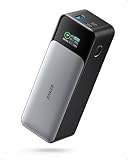
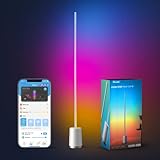
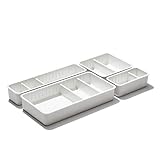
None of this matters much if you're not actually buying anything — so here's where a Business account earns its keep for a working freelancer: the recurring, work-justified purchases that make up a home office. These are the kinds of items where separating "business" from "personal" in your order history actually saves you something come tax season, whether or not you end up using every feature above.

People also ask
Can freelancers use Amazon Business?
Yes. Amazon Business accounts are open to sole proprietors and freelancers, not just multi-employee companies. You can typically sign up using your individual tax ID rather than a formal business entity, though the exact requirements depend on your location and business setup — the signup flow will walk you through what's needed and flag anything you don't yet have.
Is Amazon Business worth it for a solo freelancer?
It depends on how often you buy work supplies through Amazon. If you're ordering recurring items — ink, paper, cables, packaging — a few times a month, the separated order history and business pricing tend to pay for the five minutes of setup fairly quickly. If your Amazon purchases for work are occasional, the benefit is smaller, and it's reasonable to hold off until your ordering volume justifies it.
Can you have both Amazon Business and Prime?
Yes — this is the normal setup, not an edge case. Amazon Business is a separate account layer, and you can link the shipping benefits from your existing Prime membership to it, so business orders still ship on the same fast timeline. You don't have to give up or duplicate your Prime membership to use a Business account.
Does Amazon Business cost extra on top of Prime?
Creating an Amazon Business account is typically free — it's a business-purchasing layer, not a second paid membership. Your existing Prime cost doesn't change, and you're not billed separately just for having the Business account. Some optional add-on features exist for larger organizations, but the core account for a freelancer or small operation is free to create; confirm current terms on the signup page since offerings can change.
How does Amazon Business help with tax write-offs?
Mainly by keeping business purchases separate from personal ones automatically, since orders placed through the Business account land in their own order history rather than mixed in with household shopping. Combined with the business analytics dashboard, that gives you an exportable, dated record of work-related purchases — useful for your own records or for handing to an accountant, though it doesn't replace proper bookkeeping software for a full picture of your finances.
Do I need Amazon Business if I rarely buy things for work?
Probably not yet. The account's value comes from volume — repeated purchases where quantity pricing and consolidated tax records actually add up to something. If you buy a handful of work items a year, saving the receipts the way you already do is simpler than managing a second account. It's easy to create later once your buying pattern changes, so there's no downside to waiting.
What's the difference between Amazon Business and Amazon Prime for tax purposes?
Prime doesn't track anything by purchase category — it's purely a shipping and streaming membership, and your order history mixes personal and business items with no separation. Amazon Business keeps business-account orders in their own history and adds a reporting dashboard, which makes reconstructing a quarter's or year's worth of business spending significantly less painful than sorting through a personal account after the fact.
If you're ordering the same work supplies more than a couple times a year, a Business account separates those purchases from your personal ones automatically — and you keep the Prime shipping you already have. Free to create; check the signup page for current features and eligibility.
Create your free Amazon Business account →